Desktop app
Everything about your business, in one window.
Your assistant, your conversations, your settings — the whole Busymate AI Console, always open on your desktop.


Everything the Console does for you
One assistant, your business — every part of the Busymate AI Console, in a window you keep open.
One inbox for every channel
- Web chat
- Telegram
- Slack
- Discord
- Microsoft Teams
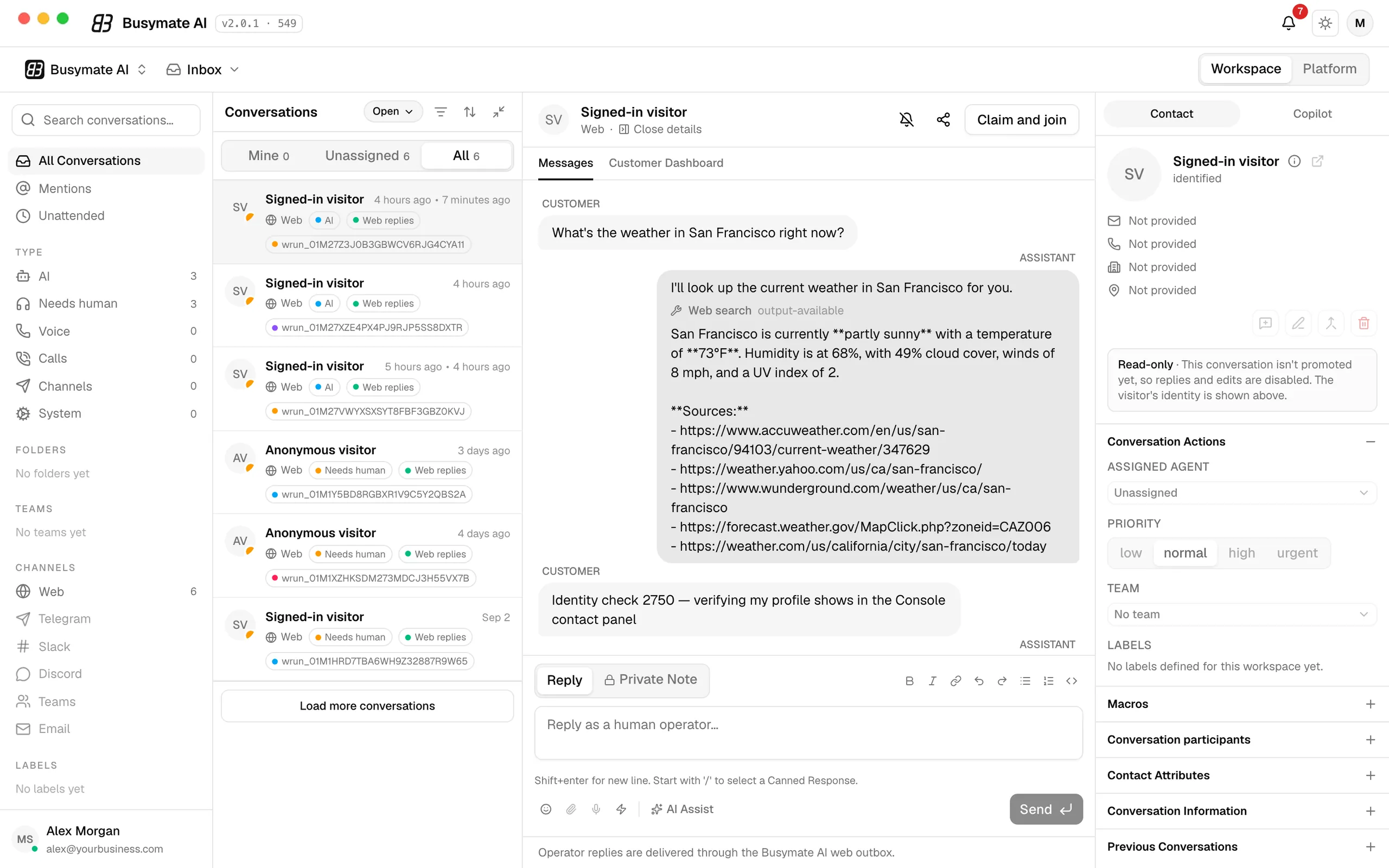
Every conversation your assistant has — on your website, in Telegram, Slack, Discord, Microsoft Teams or email — lands in one list, with the ones that need a person on top. Search it, filter it by channel or by who is handling it, and open any thread with its full history.
Hand-off, when a person is needed
- Needs-a-human queue
- Claim and join
- Private notes
- AI Assist
- Canned responses
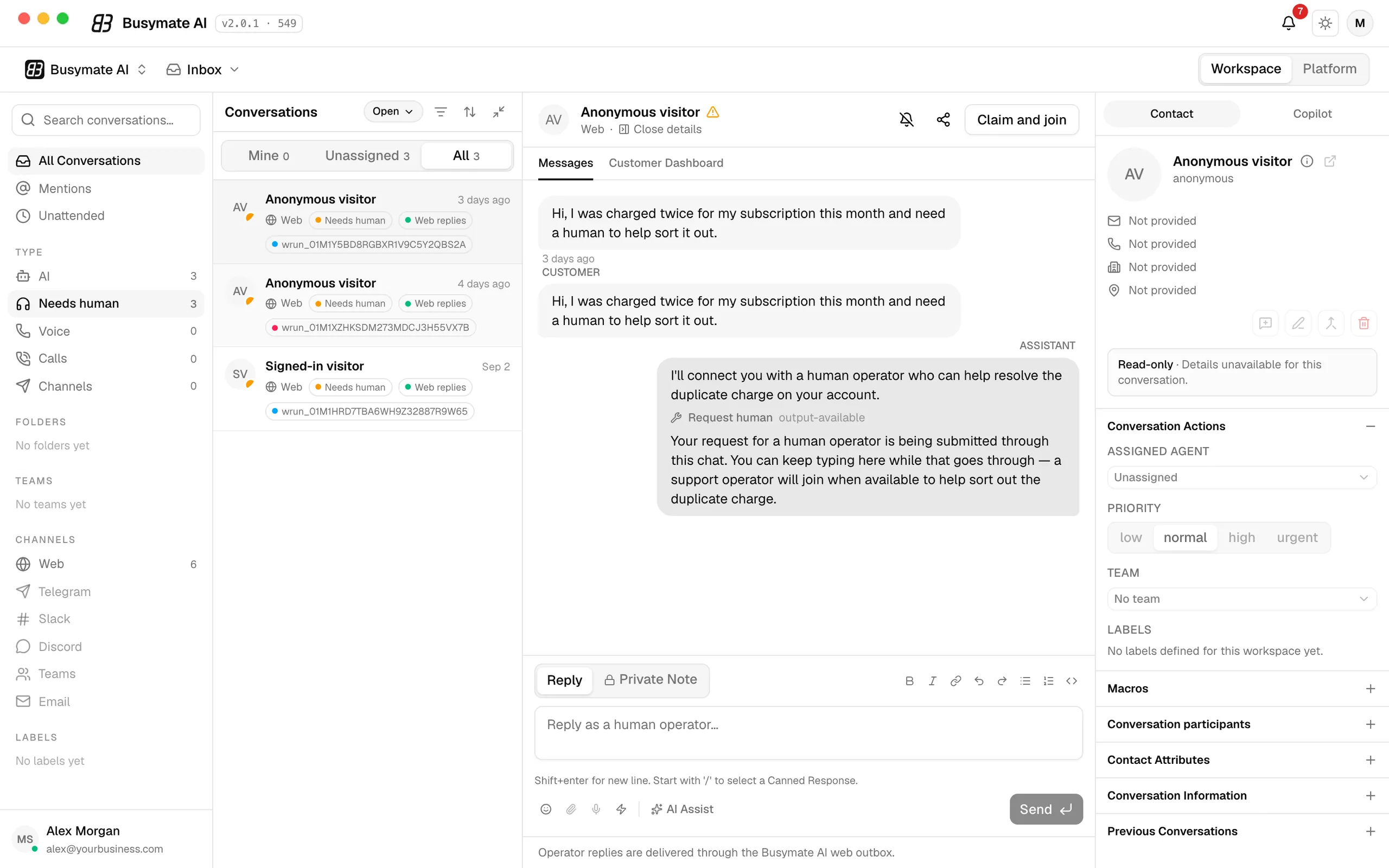
When a customer asks for a human — or the assistant decides one is needed — the conversation moves to the Needs-a-human queue. Claim and join puts you in the same thread the customer is already in, with the context, a private-notes lane for your team and AI Assist for the reply.
Told the moment it matters
- Menu-bar notifications
- Dock badge
- One click to the thread
- Per-event switches
- Quiet hours
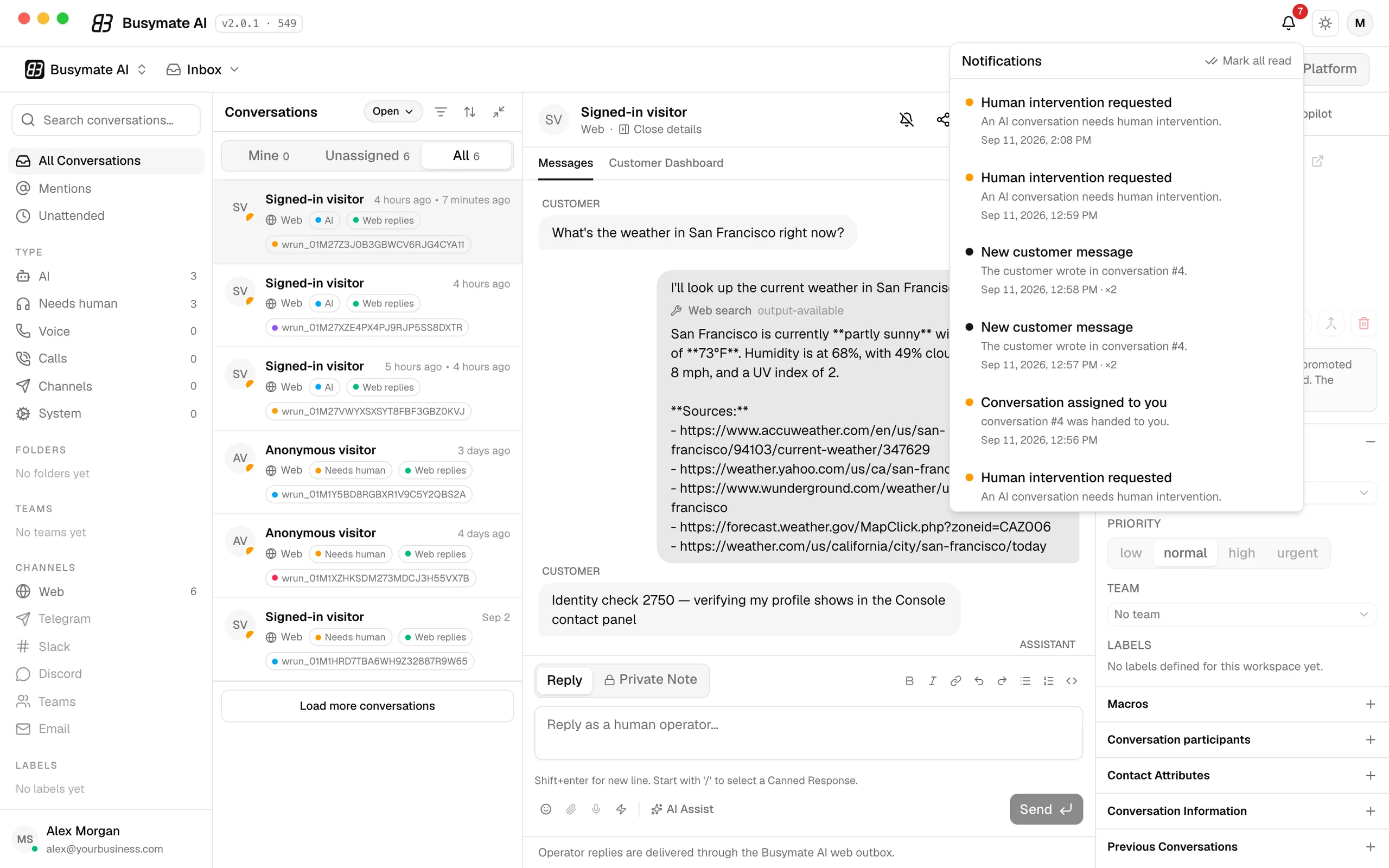
A hand-off request, a new customer message, a conversation assigned to you — each one is a system notification from the app, even when the window is behind everything else, and one click opens that exact thread. Choose which events notify you, and set quiet hours.
Your name, your voice
- Product and assistant name
- Welcome message
- Suggested first questions
- Draft · preflight · publish
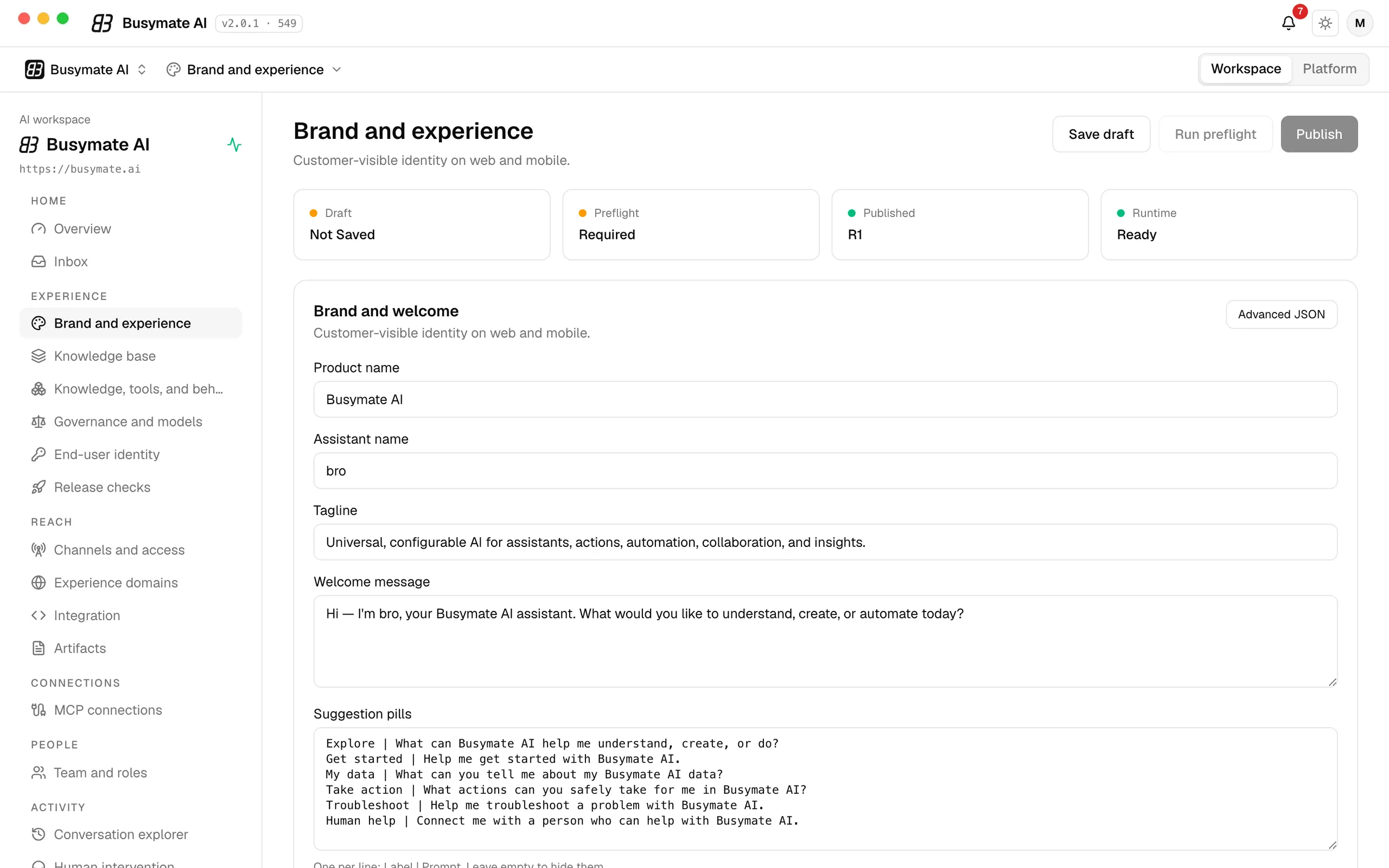
The product name, the assistant's name, its tagline, the welcome message and the suggested first questions — the identity your customers see, everywhere it talks to them. Save a draft, run the preflight, and publish when it reads right.
Knowledge and connected tools
- Crawl your website
- Any tool over MCP
- Probe before you trust
- Per-tool permissions
- Delegated account access
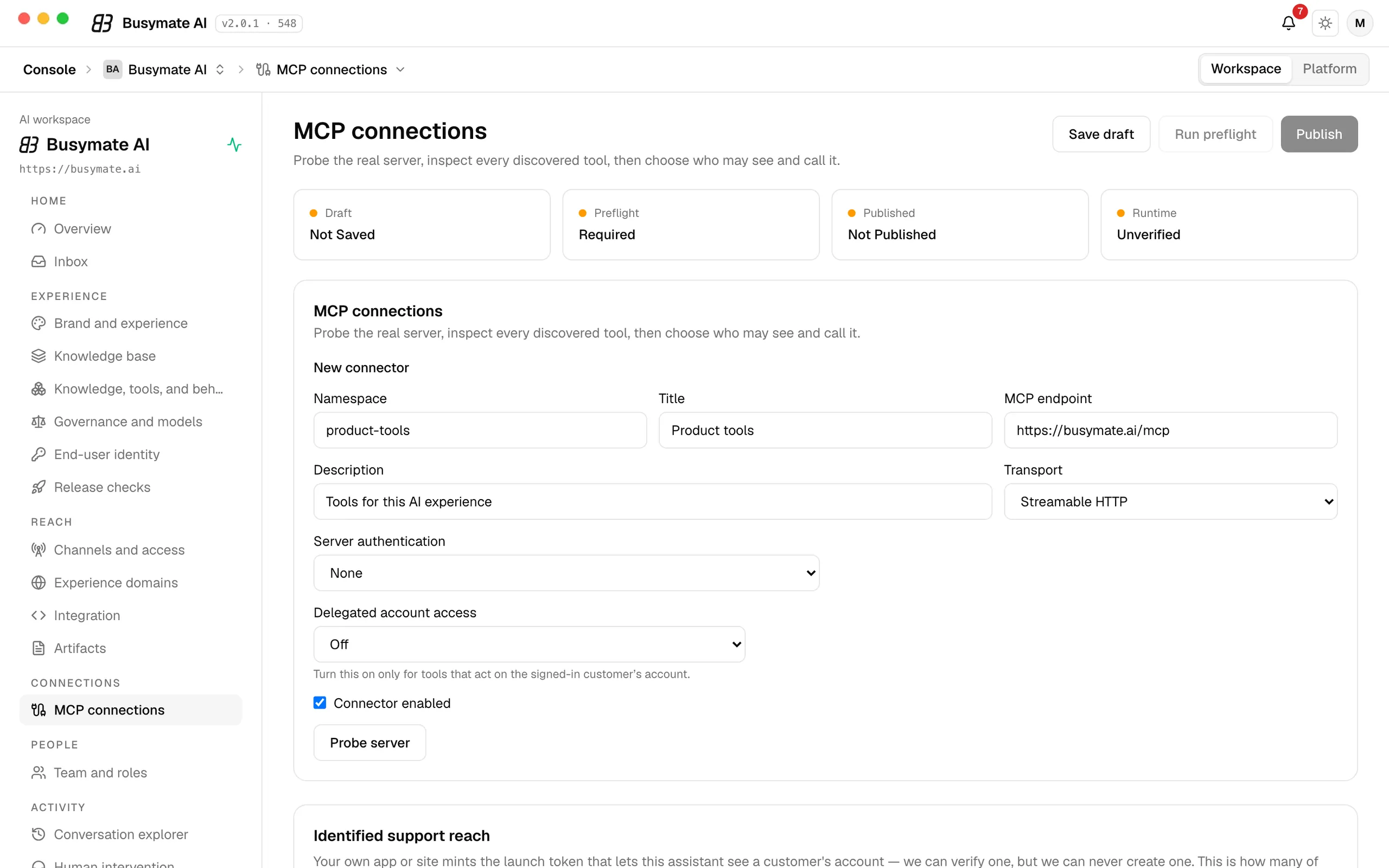
Point it at your website so it answers from your own pages, then connect the tools it may use — your store, billing or CRM, any tool over MCP. Probe the server first, see every tool it exposes, and decide per tool who may see and call it.
You set the boundaries
- Features on or off
- Session limits
- Token limits
- Choose the models
- Platform ceiling
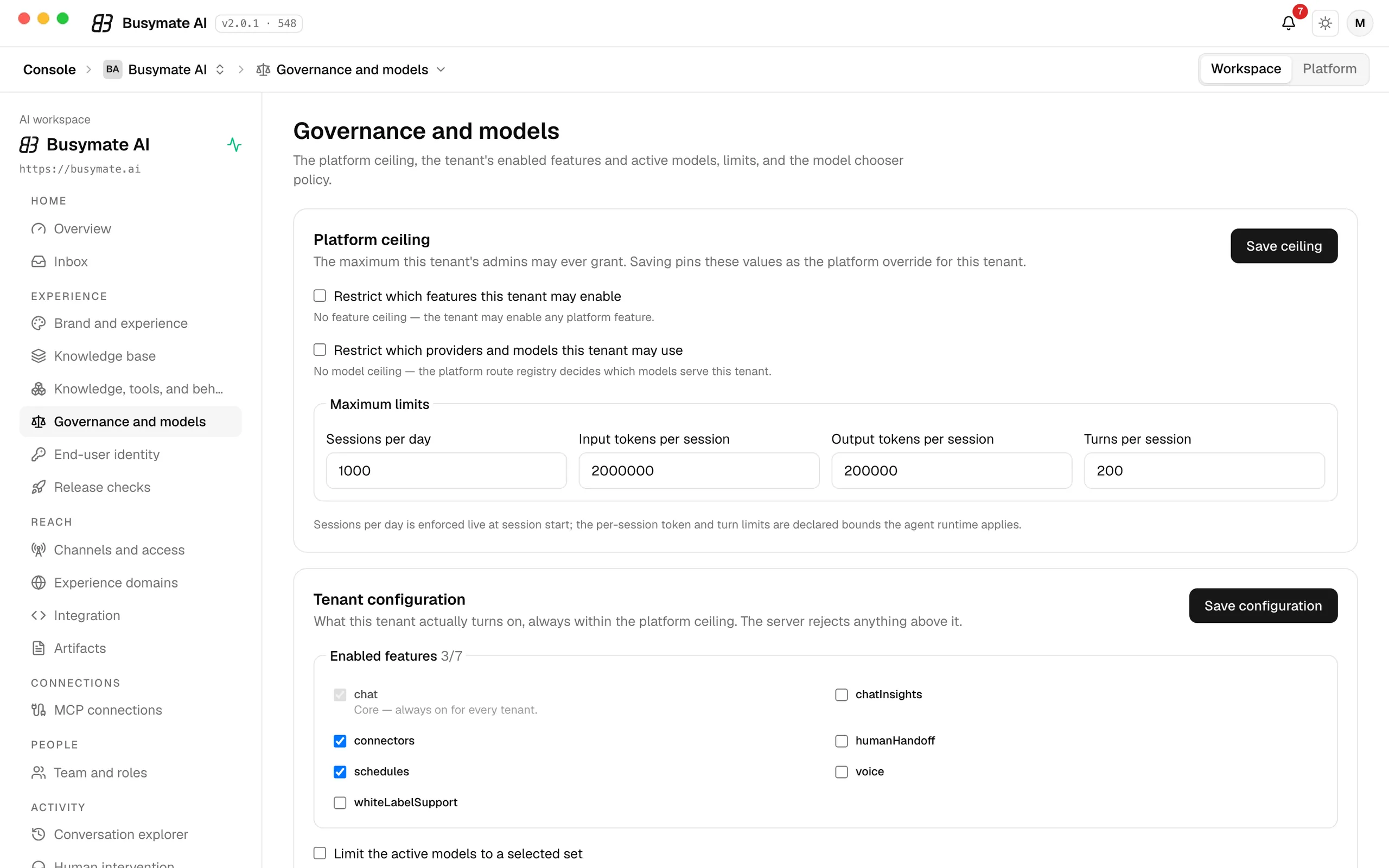
Turn features on or off, cap sessions per day and tokens per session, and choose which providers and models may serve your customers. The platform sets a ceiling; your workspace decides what is actually on, and the server refuses anything above it.
Cost and usage, live
- Cost per provider
- Today · 7 days · 30 days
- Requests and tokens
- Per-model breakdown
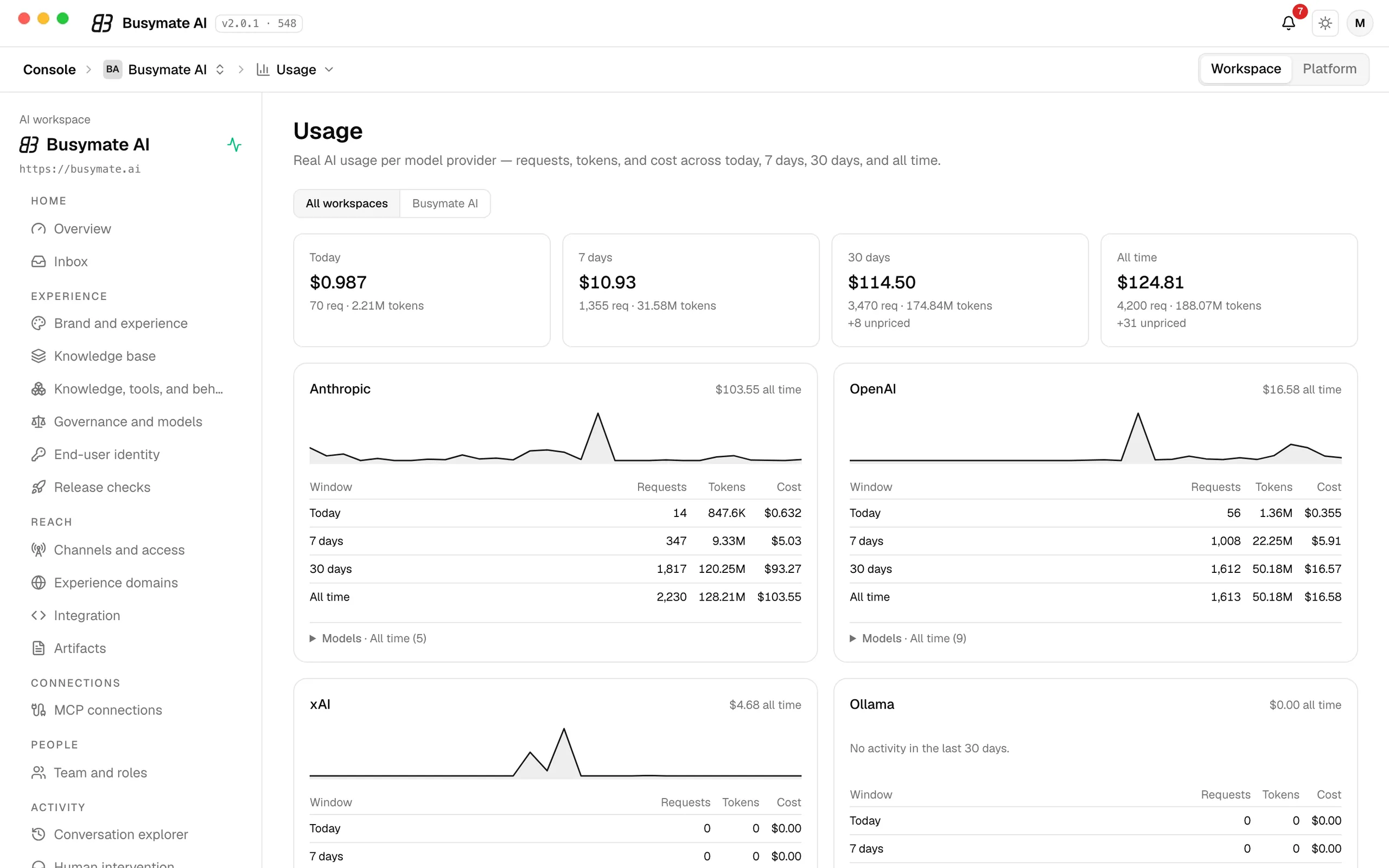
What it costs and how much it is used — per AI provider, for today, the last 7 and 30 days and all time, with requests, tokens and cost side by side and a per-model breakdown one click away. Real numbers, updated as they happen — not a nightly report.
Pages your assistant publishes
- Public, internal or private
- Share links
- Copy as Markdown
- Agent link
- Comment threads
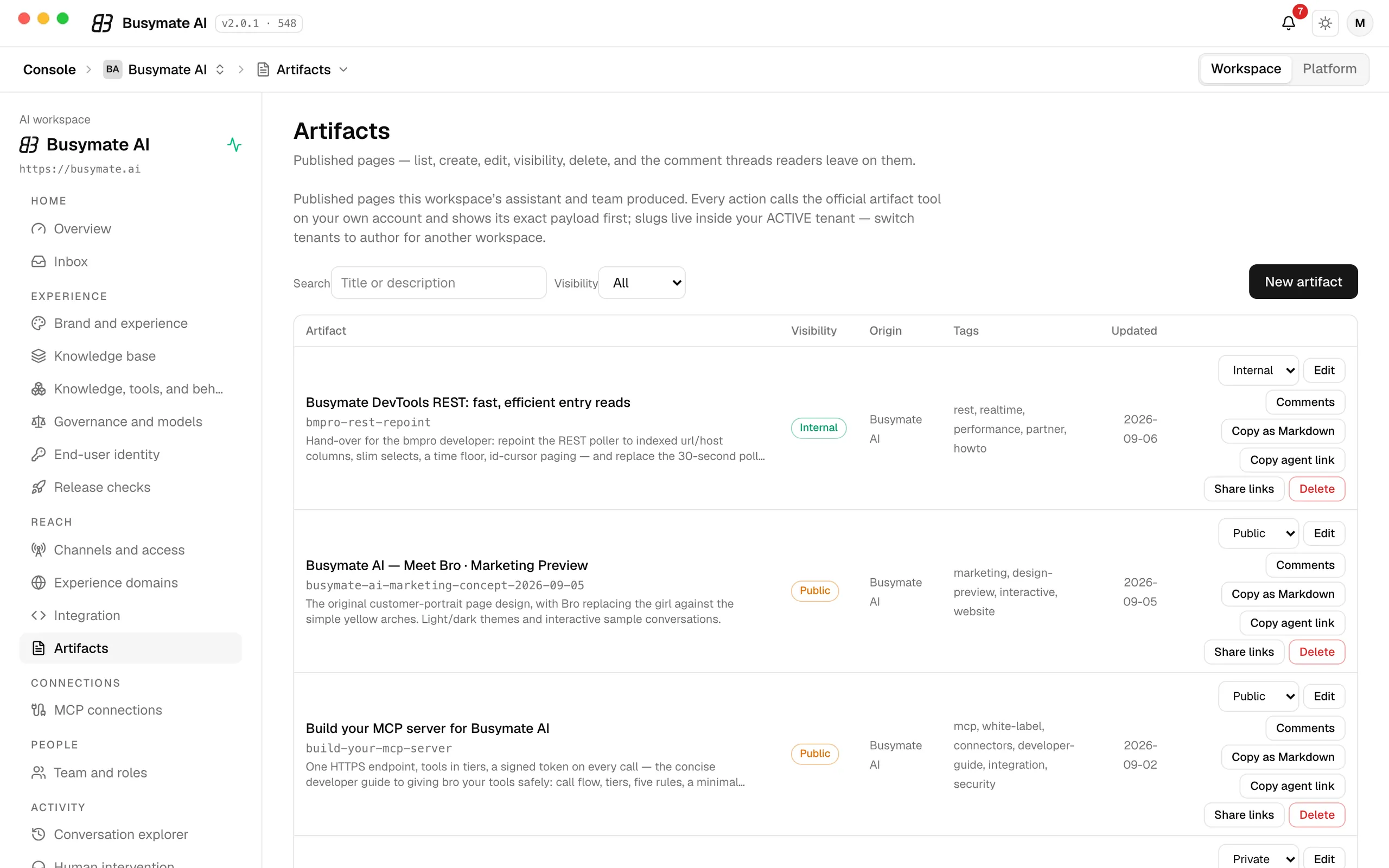
Reports, previews, guides — when your assistant or your team publishes a page, it lives here with its visibility (public, internal or private), its share links, a Markdown copy for agents and the comment threads readers leave on it.


What's new
v0.2.3released Sep 12, 2026
- Automatic updates. Busymate AI now checks for a newer build on launch and every few hours, and installs it with one click — no reinstalling from the website.
- Signed-out launch fix. Opening the app while signed out now lands on the sign-in screen instead of an error page.
- One menu-bar icon. The menu bar shows a single Busymate AI icon.
- A cleaner About panel — name, version, build date, and a link to busymate.ai.
Why run it as an app
Everything above works in a browser tab too. The app adds these.
A notification, instantly
The moment a customer needs a person, your computer tells you — even with the window behind everything else. Click it and you are in that conversation, ready to reply.
A badge that counts
The dock icon shows how many conversations are waiting, at a glance, before you even open it.
Always on
It starts with your computer and waits quietly in the menu bar, so it is never a tab you lost.
Updates itself
Every improvement to the Console reaches you the day it ships — nothing to reinstall.
All downloads & details
Every platform build of version 0.2.3, with checksums, requirements and install notes.
Questions people ask
Short answers, the same for every platform we publish.
Prefer the browser?
The Console is the same in every browser — the desktop app only adds the notifications.